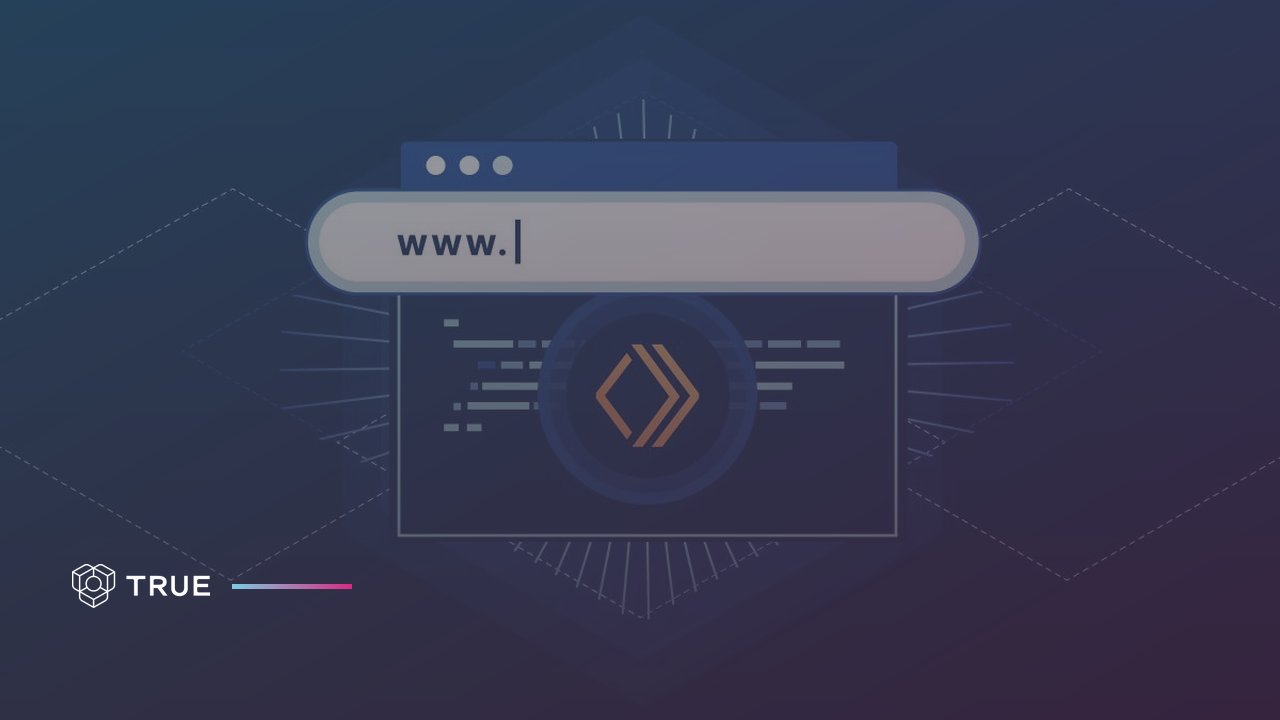
TL;DR: A custom domain for certificates is a subdomain the issuer owns, such as certificates.yourorganisation.com, where every certificate and its verification page opens. Certificates belong on the issuer's own domain because each certificate then becomes a page on the issuer's website and each share becomes a link back to it. TRUE Original can publish every document on the issuer's own domain, and the setup is one CNAME record in the issuer's DNS.
A custom domain for certificates is a subdomain of the issuing organisation's own website, for example certificates.yourorganisation.com, where its digital certificates and their verification pages open. The link a recipient shares, the QR code on a printed copy and the page a verifier lands on all carry the issuer's address. Without a custom domain, the same certificate opens on the domain of the company that runs the certificate platform.
Most digital credential platforms host certificates on their own domain. When your recipients share their credentials, they are sharing someone else's URL, and every time someone views, shares or verifies a credential, they see the vendor's brand, not yours.
Picture a recruiter with a link to a diploma. She reads the address before the page has loaded. diplomas.yourschool.edu tells her in one line who stands behind the document, while a vendor's address asks her to trust a company she has never dealt with. A diploma from credentials.stanford.edu carries different weight than one from badges.vendor.com/stanford. Recipients trust credentials from recognisable domains, and a URL starting with your organisation's domain signals authenticity immediately. Giva Sverige uses TRUE Original this way: hundreds of certified fundraisers hold their proof on Giva Sverige's own subdomain, and it has been viewed tens of thousands of times (Giva Sverige case).
The address is the one part of a certificate that every reader sees. Most organisations hand it to somebody else.
A custom domain is the part of white-label certificates that the reader sees in the address bar. White-label certificates carry the issuer's brand instead of the platform's, and a custom domain puts the issuer's name in the link as well. TRUE Original documents open in the issuer's design and can open on the issuer's own subdomain, so the recipient and the verifier meet the issuer from the first click.
The term comes from retail. Wikipedia defines a white-label product as "a product or service produced by one company (the producer) that other companies (the marketers) rebrand" (Wikipedia, White-label product). For certificates the rebranding has two layers, the design of the document and the address it opens on. A certificate can carry the issuer's logo and still open on the platform's domain.
Certificates should be on your own domain because the trust, the traffic and the search value that follow a certificate go wherever its address points. On the issuer's own domain, every view, every verification and every shared link builds the issuer's website. On a certificate vendor's domain, the same certificate builds the vendor's website instead.
Certificates travel. Recipients put them in email signatures, on LinkedIn profiles, in CVs and on personal websites, and the address goes wherever the certificate goes. LinkedIn describes itself as a community of over 1.3 billion members (LinkedIn, About LinkedIn, 2026). A certificate posted in that feed shows its address to everyone who scrolls past. A custom domain ensures that URL represents your brand, not a vendor you pay.
Verification follows the same path. An employer who checks a certificate opens its link, and on a custom domain that visit lands on the issuer's website. TRUE Original records when, where and by whom each document is opened and shared, so the issuer sees which certificates are being checked and where the interest comes from. The issuer can track that traffic in its own analytics and controls the experience around verification. With vendor domains, verification traffic goes to the vendor, and the issuer has no visibility into when, where or how often its credentials are being verified.
The issuer's website, email and marketing already sit on its own domain. A certificate on the same domain is one more page in the same place, under the same name. Custom domains maintain brand consistency across every touchpoint: when someone interacts with credentials you have issued, the experience is yours from start to finish.
A custom domain lets the person checking a certificate match its address against the issuer's own website before trusting the page. Phishing works through addresses that look right: the Anti-Phishing Working Group (APWG) describes schemes that fool people "into believing they are dealing with a trusted, legitimate party, such as by using deceptive email addresses and messages, bogus web sites, and deceptive domain names". A TRUE Original document on the issuer's own subdomain can also be checked in TRUE Verify, so the address and the record both point to the issuer.
During 2025, APWG observed 3.8 million phishing attacks, up slightly from 3.76 million in 2024, according to its Phishing Activity Trends Report for the fourth quarter of 2025. A verifier who scans the QR code on a diploma and lands on certificates.yourschool.edu has one thing less to doubt than a verifier who lands on an address nobody recognises.
Certificates on your own domain help SEO because each certificate is a page on the issuer's website and each share of it is a link pointing to that website. Google lists links from other websites among the signals it uses to judge whether content is trustworthy. When certificates sit on a vendor's domain, those links point to the vendor.
Google writes in How Search Works that "one of the factors used to determine quality is understanding if other prominent websites link or refer to the content", and that this "is generally a good sign that the information is trustworthy" (Google Search, How Does Google Determine Ranking Results).
Every time someone shares a credential, they link to a URL. When that URL is your domain, the link equity flows to you, improving your search rankings. With vendor-hosted credentials, all that linking power goes to the vendor's domain instead, and your certificates generate traffic and backlinks for someone else. Almega Utbildningsföretagen publishes each certificate it issues with TRUE Original on a unique, SEO indexed subdomain under Almega's own brand, so both search engines and readers can see where it came from (Almega case).
The arithmetic is plain. An organisation that issues 2,000 certificates a year adds 2,000 pages to its own domain that year, and 10,000 over five years. Each recipient who links to one from a profile, a CV site or a portfolio adds a link to the issuer's domain. On a vendor's domain the pages and the links are the same.
Only the owner differs.
When a recipient shares a certificate that lives on the issuer's own domain, the post carries the issuer's name and the link leads to the issuer's website. Every share is a brand impression for the issuer, and every click is a visit to the issuer's domain. TRUE Original documents have generated over 100 million marketing impressions for their issuers worldwide.
People share the documents they are proud of, such as a diploma after three years of study or a licence after a hard exam. The share costs the issuer nothing. The recipient wants their network to see it. TRUE Original has issued over 900,000 documents for 200+ issuers in 15+ countries. More on that in how a certificate becomes a marketing channel.
A custom domain for certificates comes from the domain the organisation already owns: you create a subdomain of it, such as certificates.yourorganisation.com, and point that subdomain to the certificate platform. No new domain has to be bought. An organisation without a domain of its own registers one with a domain registrar first.
With TRUE Original, the issuer's side of the setup is one DNS record. TRUE does the rest.
You set up certificates on your own domain by choosing a subdomain, adding one CNAME record that points it to TRUE, and verifying the domain in the TRUE dashboard. TRUE Original then provisions and renews the SSL certificate for the subdomain at no extra cost. Most organisations are live the same day.
credentials, certificates or verify as the subdomain, as in certificates.yourorganisation.com.Most organisations complete custom domain setup in under 24 hours. The actual configuration takes minutes; the wait is for DNS propagation.
SSL takes no work on the issuer's side. TRUE Original provisions the SSL certificate for the subdomain using Let's Encrypt and renews it automatically before expiration, so every document opens over HTTPS under the issuer's own address. The certificates are valid and trusted by all browsers. The word certificate does double duty here: the diploma belongs to the issuer, and the padlock in the address bar is TRUE's job.
TRUE provides full support for custom domain configuration:
Most organisations complete setup independently using the documentation. For complex configurations or enterprise requirements, TRUE's team is available to assist.
Certificates on your own domain need one DNS change: a CNAME record that points the chosen subdomain, for example certificates.yourorganisation.com, to TRUE. The TRUE dashboard shows the exact record to add. The organisation's main website and its other DNS records stay as they are.
The record points the subdomain to TRUE's domain infrastructure:
credentials.yourdomain.com CNAME domains.trueoriginal.com
A CNAME record is an alias. The Internet standard that defines DNS puts it this way: "A CNAME RR identifies its owner name as an alias, and specifies the corresponding canonical name" (IETF, RFC 1034, section 3.6.2). Here the alias is the certificate subdomain and the canonical name is TRUE's host, so www and the rest of the domain are untouched.
Sending documents from the organisation's own email address is a separate, optional setting with DNS records of its own.
Certificates should go on a subdomain of the main domain, such as certificates.yourorganisation.com. A subdomain carries the organisation's name in the address and keeps the certificates apart from the main website, so neither gets in the other's way. TRUE Original publishes documents on the subdomain the issuer chooses. TRUE recommends a subdomain rather than the root domain because it avoids conflicts with the main website and follows best practices for service separation.
The name deserves a minute's thought, because recipients will paste it for years. A word the reader understands at a glance works best:
diplomas.universityname.edu. University diplomas carry institutional weight, and the URL should reflect that weight. When alumni share their diploma on LinkedIn or include it on a CV, employers see the university's domain, reinforcing the credential's legitimacy.verify.boardname.org. Professional licences are serious credentials, and verification should happen on an official domain that signals authority. A government or regulatory domain builds trust that a vendor domain cannot match.certifications.companyname.com. Corporate training programmes represent company investment in employees. When those credentials appear on LinkedIn or in portfolios, they should link back to the company, driving awareness of your training programmes and employer brand.certify.associationname.org. Certification bodies exist to validate professional standards, and a custom domain reinforces that your organisation, not a vendor, stands behind the certification.members.associationname.org. Membership credentials represent belonging to a professional community. The URL should make that affiliation clear, and your members display credentials linking to your organisation.A diploma is a statement by the university, and a licence is a statement by the board. The address a document opens on is part of that statement.
Certificates already issued keep working when an organisation adds a custom domain to TRUE Original. New documents open on the custom domain from the moment it is verified, and documents issued earlier can keep their current addresses or move across. Existing credentials can continue to work on TRUE's domain or be migrated to your custom domain, your choice. No link a recipient has already shared breaks.
The custom domain configuration can be updated at any time. Existing credentials can be redirected to maintain links, or you can run both domains during a transition period.
Recipients do nothing differently. They receive their documents as before, and the only change is the address in the link.
A custom domain changes neither security nor performance: custom domains maintain all TRUE security features and use the same CDN and performance infrastructure as TRUE's primary domain, with no degradation from using your own domain. TRUE's infrastructure serves credentials globally with low latency.
The security features that stay in place on a custom domain:
Your domain is the frontend; TRUE's secure infrastructure handles everything behind it.
A custom domain for certificates returns brand reinforcement on every credential shared, SEO value from verification traffic and backlinks, trust signals that increase credential acceptance, and analytics visibility into verification activity. Every credential issued after the setup carries your brand, builds your SEO and drives traffic to your domain.
The indirect benefits:
What a custom domain avoids:
People find a TRUE issuer's courses in TRUE Upskill, a public catalogue where someone searching for training finds the programme and enquires directly with the provider. TRUE Upskill is free on every TRUE plan and free to search, sells no placement, and admits only organisations that issue verified documents through TRUE.
The certificate sits on the issuer's domain. The course sits in a catalogue the issuer does not pay for, and the enquiry goes to the issuer rather than to TRUE.
TRUE Original can publish every document it issues on the issuer's own domain, in the issuer's design, and anchors a fingerprint of the document on a public blockchain. A recipient gets a link that opens on the issuer's website, and anyone can check the TRUE document in TRUE Verify, free and without an account. The address shows who issued the document, and the blockchain proves it has not changed since the day it was issued.
TRUE offers true custom domain hosting: not a branded subdirectory on a vendor domain, but an actual subdomain on your domain, with your SSL certificate, under your control. Competitors host your credentials on their domain, and you pay them to build their brand recognition.
TRUE is blockchain-agnostic. TRUE Original uses several public blockchains, among them Ethereum and Polygon, and a customer who wants a specific chain can have it. More on how blockchain certificates work.
Documents reach the issuer's domain from the systems the issuer already uses: the TRUE dashboard, a REST API with five endpoints, a structured email, or integrations such as Canvas LMS, Moodle, Learnster and Salesforce. The custom domain resource page sums up the feature, and the TRUE team helps with the setup. Contact TRUE to enable custom domain hosting for your organisation, or book a free demo to see how credentials work on your domain.
A copied design can sit on any address. Only the issuer decides what opens on certificates.yourorganisation.com.
A custom domain for certificates is a subdomain of the issuer's own website, such as certificates.yourorganisation.com, where its digital certificates and verification pages open. TRUE Original can publish every document on the issuer's own domain.
On the issuer's own domain, every certificate is a page on the issuer's website and every share is a link back to it. The trust, the traffic and the search value that follow a certificate then go to the issuer instead of a certificate vendor.
A custom domain is the part of white-label certificates that shows in the address bar: the certificate opens on the issuer's own subdomain instead of the platform's domain. TRUE Original documents open in the issuer's design and can open on the issuer's own subdomain.
A custom domain lets the person checking a certificate match its address against the issuer's own website, which matters because phishing often uses deceptive domain names; APWG observed 3.8 million phishing attacks in 2025. A TRUE Original document on the issuer's subdomain can also be checked in TRUE Verify, free and without an account.
Choose a subdomain, add the CNAME record the TRUE dashboard shows to your DNS, and verify the domain in TRUE. TRUE Original provisions and renews the SSL certificate at no extra cost, and most organisations are live the same day.
A certificate subdomain needs one CNAME record that points the chosen subdomain, for example certificates.yourorganisation.com, to TRUE. The main website and the other DNS records stay as they are.
Most organisations complete setup in under 24 hours. The actual configuration takes minutes; the wait is for DNS propagation, which typically completes within a few hours.
No. TRUE Original provisions the SSL certificate for the subdomain and renews it automatically, at no extra cost. The certificates are trusted by all browsers.
TRUE recommends a subdomain, such as credentials.yourdomain.com, rather than the root domain. This avoids conflicts with your main website and follows best practices for service separation.
Certificates already issued keep working. New documents open on the custom domain once it is verified, and documents issued earlier can keep their current addresses or move across, so no shared link breaks.
You can update your custom domain configuration at any time. Existing credentials can be redirected to maintain links, or you can run both domains during a transition period.
Custom domain is available on professional and enterprise plans. Contact us for pricing details.
No. Recipients receive their credentials as usual. The only difference is that credential URLs use your domain instead of TRUE's domain.
Every organisation we work with started with the same question. Give us thirty minutes and we will show you what your own documents would be worth.
Book a callNot sure where to start? Let us help!

Trusted by leading organisations worldwide